Sunday, 16 March 2014

Unit 23 Graphics: Aspect Ratio

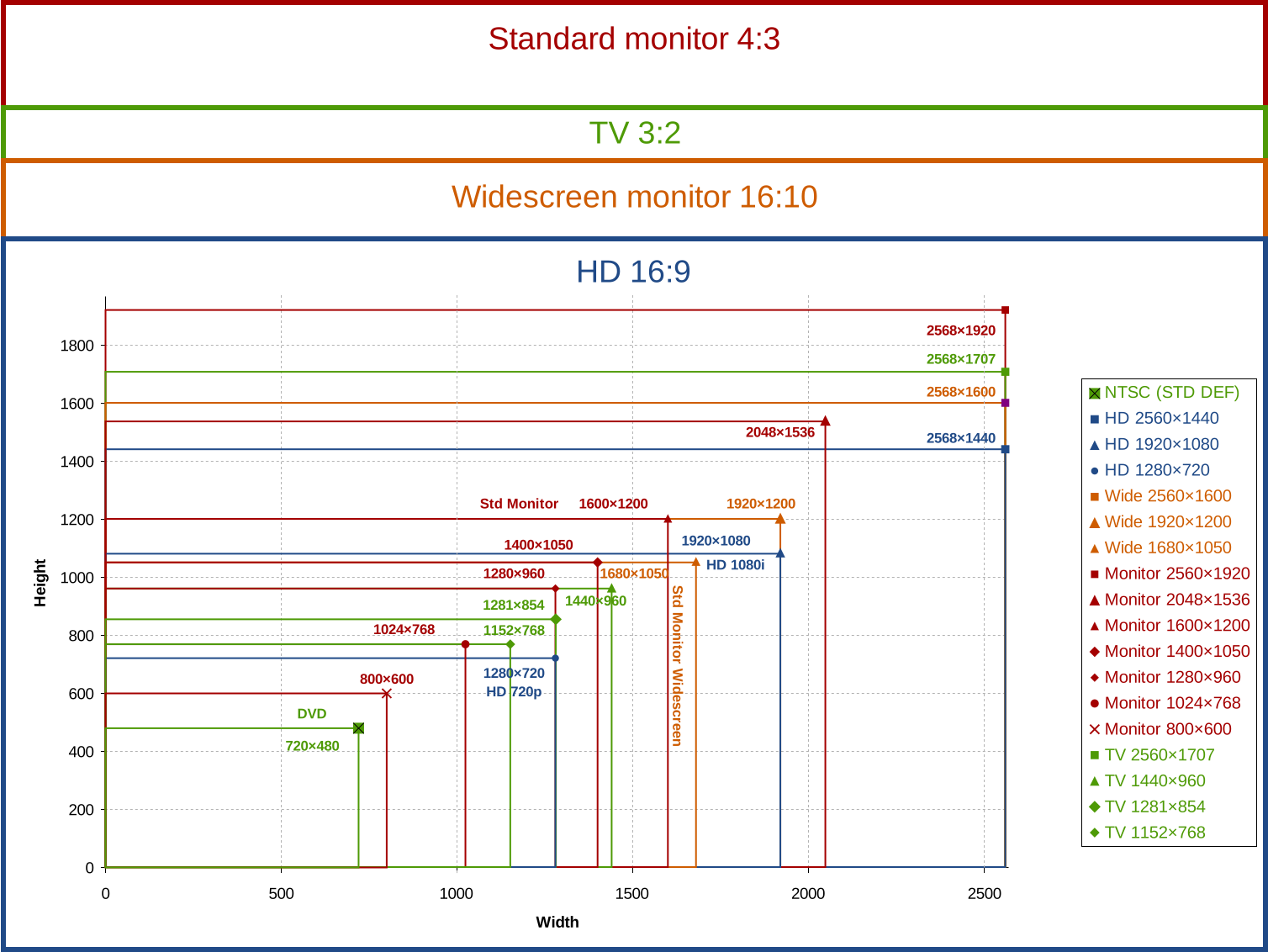
So what is Aspect Ratio?:

Aspect Ratio is the width and height of a monitor or image in which it is displayed, for example, like this: 4:3 or 2:1. The most common aspect ratio used in modern day for TV's is 16:9 which has much higher resolutions and better quality. An example of a 16:9 would be 1920x1080 which is essentially the High Definition level. When talking about a TV aspect ratio means the inches of the display. For example, 16 inches long, 9 inches wide.

Unit 23 Graphics: Super Villain Update:

I have begun to colour the outline, while saving a non colour version as a backup. After filling the character I will try to work on his costume design which will have some yellow stripes on black sort of patterns. I will also begin to add mid-tones, highlights, and any other addition that the colour could use. Once completely finished this can be added to the backdrop poster.

Tuesday, 4 March 2014

Unit 23 Graphics: Choosing a backdrop for my Hero v Villain poster.

I have been looking at a range of different environments and will be choosing from the following:


I am currently favoring towards this backdrop has my evil villain wields electrical powers and this would represent him about to destroy a city.

Unit 23 Graphics: A piece of Spash Art and its uses:

I have been learning about splash art and how it is widely used for the covers of films, games and from where it originated, comic books. Splash art basically gives you an idea of the main characters in the piece of media and an idea of their personalities, for example this Batman poster shows the good side and the evil side to the film and how both characters will obviously end up fighting each other.


The use of this poster is to give the audience an idea into both of the characters going head on against each other.

Tuesday, 7 January 2014

Unit 23: Graphics - What have I learn't so far?

So far;

- I have learn't about Vectors/Bitmaps
- Sketching in a professional way on Photoshop
- Common Photoshop tools (helpful/useful) including the Clone tool, brush tool etc.
- The definition of Iteration and Metadata
- How to approach creating a character for a graphic design
- Assessing specific pieces of hardware and software for graphics editing/creating

All of these new skills will enable me to effectively work on graphics projects in the future, especially in terms for my next course in Information Technology that I plan to progress onto.

Unit 23 Graphics: The First Basic Sketch Of My Super Villain


I have started off by using the tablet to lightly sketch around the design I imported to Photoshop via scanning from a book. I set up the tablets pen correctly so that I could make my drawing look like it was actually sketched. I set up the flow, to about 25% and the opacity to 100%. The brush size was set to 19 and the thickness was around 80-90%. In later updates I will be finishing the sketch and adding a lot more details including weapons or other types of layers.

Tuesday, 3 December 2013

Graphics Unit 23 Update: Designing Characters/Task 1B Progress

I have almost completed Task 1B with most of the power-point on hardware/software graphics assessing.
Once completed, I will also use a site called Prezi to put it into a more streamlined format.


I also have an embedded version of the current Prezi version, which will be updated fully once the power-point version is finished.


Notes:

Iterations
- Versions
- Improvements
- Stages

Annotation
- Labeling
- Description
- Explanation
- Evaluation